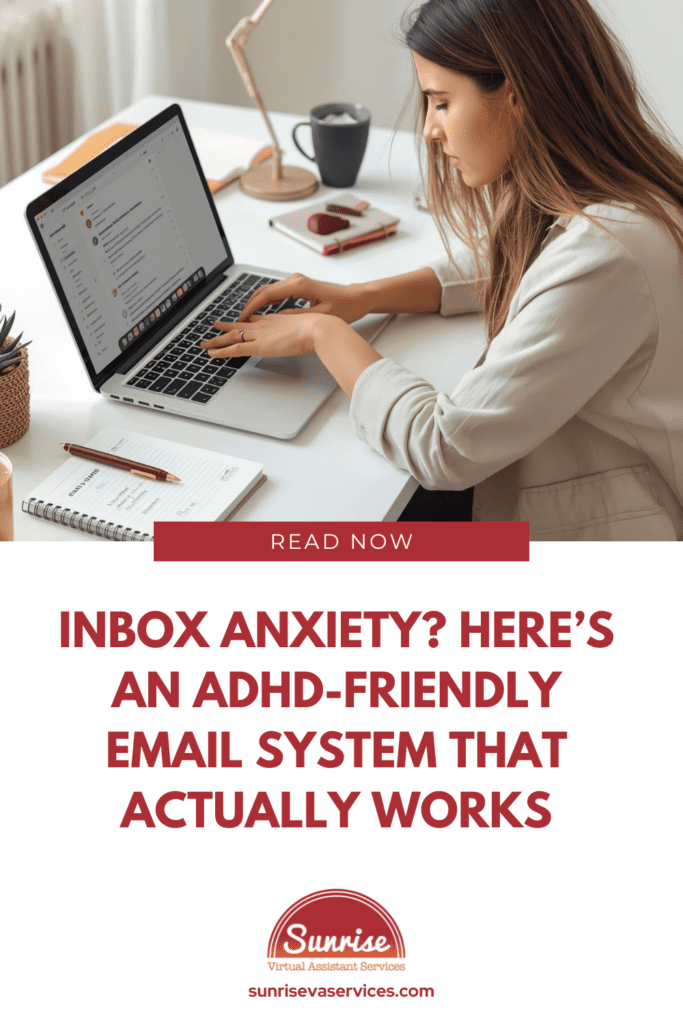
Inbox anxiety can make opening your email feel like bracing for impact. If that sounds dramatic, good. Email is dramatic when you are an entrepreneur juggling customer service, follow-ups, marketing emails, and all the other work tasks that somehow end up in one place.
For many ADHD business owners, a full inbox is not just a list of messages. It is a source of stress, mental clutter, decision fatigue, and that awful feeling that something important is buried somewhere under unread emails, newsletters, and random platform alerts.
That is why email overwhelm hits so hard.
In a hyper-connected world, email use comes with unrealistic expectations. A lot of people feel pressure to answer new emails immediately, stay available during all work hours, and somehow keep up without letting it affect their mental health.
Only sometimes, it can.
The problem is not that you are lazy or unprofessional. The problem is that most inbox systems are built around nonstop reactivity, and that is terrible for ADHD brains.
The good news is that you don’t have to become a different person to get better at email management. You need an ADHD-friendly email system that lowers anxiety levels, reduces friction, and makes inbox management easier without demanding perfection.
Because the best thing you can do for inbox anxiety is build a system that works with your brain instead of making your brain fight for its life before noon.
Why Inbox Anxiety Builds So Fast
There is a reason inbox anxiety feels bigger than “just checking email.”
Email is rarely only email. It is important information, money conversations, client questions, longer emails you do not feel ready to answer, and the occasional important message you were scared to open in the first place.
Even good news can raise stress levels when your brain already associates the inbox with pressure. That is where email anxiety turns into anticipatory anxiety.
You are not only reacting to what is in the inbox. You are reacting to what might be in it. A missed deadline, a hard conversation, maybe an email reply you forgot that’s now a major client issue. A single message that is about to become seven new work tasks.
ADHD tends to make this worse because unread messages stay visually loud, incoming emails create a false sense of urgency, and every new notification pulls your attention away from whatever you were doing before.
When email stress is high enough, opening your inbox can trigger avoidance, deep breaths, or that little nervous-system shutdown where you suddenly want to do literally anything else. Not because you do not care, but because your brain is already calculating the sheer volume of decisions waiting inside.
So no, this is not a personal failure. It is what happens when email accounts become storage bins for tasks, expectations, and low-grade panic.
The ADHD-Friendly Email System That Actually Works
A real email system for ADHD entrepreneurs should make email less emotionally loaded, not more “optimized” in a way that falls apart after two days.
It needs to reduce email overwhelm, cut down on cognitive overload, and help you regain control of your inbox.
Here is the simple version.
1. Separate emails by purpose
One reason inbox anxiety tends to get so intense for a lot of us is that everything lives together in one pile; the main inbox.
Client concerns sit next to marketing emails. Important emails sit next to promotional emails. Daily emails from tools and platforms sit next to actual customer service messages.
That is a pile of chaos, not a system! Create a few basic folders, labels, or filters:
- Action Needed
- Waiting On Reply
- Admin / Receipts
- Read Later
- Newsletters / Promotional
If you don’t already have these integrated into your email service (which most come equipped with), you need start creating them. Because using simple folders is one of the most effective ways to reduce email clutter.
When everything looks equally urgent, your brain treats everything like a threat. When you sort emails by type, it becomes easier to see what actually matters.
And yes, start unsubscribing. Unnecessary newsletters, promotional emails, and random updates from brands you barely remember are not harmless if they are raising your stress levels every day.
2. Stop checking your email all day
If you are checking your email every few minutes, of course your inbox anxiety is staying high! Your brain never gets to settle down.
Choose specific times to check email instead. Maybe once in late morning, once in mid-afternoon, and a short cleanup at the end of the day. Those dedicated time blocks create structure, protect your personal time, and support a better work-life balance.
Constant email notifications make every incoming message feel urgent, even when it is not. Turning off notifications on your work phone or email app is one of the best ways to reduce stress quickly. Not every new message deserves an immediate response.
You can even set simple office hours or an autoresponder that clarifies response time. A ground rule like “I respond within one business day” helps reduce pressure for both you and the people emailing you.
3. Use a fast triage system
Do not open your inbox and start reading at random like you are digging through a junk drawer hoping to find some loose Skittles or a tic tac to fight the hunger pains from skipping lunch.
Use a simple triage method:
- Reply now if it takes under two minutes
- Add it to your to-do list if it needs thought
- File it if it is information, not action
- Delete or unsubscribe if it is clutter
A lot of email stress comes from letting messages sit in your inbox as reminders of things you still need to do. But your inbox is not a reliable task manager. It is a communication channel.
Once an email becomes a task, move it to another location.
That one shift can lower decision fatigue more than most complicated email productivity advice ever will.
4. Make replying easier
Sometimes the real problem is not reading emails. It is replying to them.
You know what you want to say, but the message comes across as loaded. You overthink the wording. You worry about tone. Then later becomes next week.
That is where templates help.
Save simple responses for appointment requests, follow-ups, receipt confirmations, onboarding emails, timeline updates, and “I received this and will respond more fully soon.” A short email reply is often enough to buy yourself time without ghosting someone.
Also, let yourself send shorter emails. Not every response needs to be perfect, warm, detailed, and impossible to misread. Keep it simple.
Clear subject lines, shorter emails, and a reasonable response time are usually better than silence caused by overwhelm.
What This Looks Like in Real Life
A realistic routine might look like this:
You might check your email once after you have actually started your day instead of letting the first email hijack your brain before breakfast. You scan for important emails first, answer the easy things, and move action items onto your to-do list.
You file admin items. You delete clutter. You unsubscribe from one useless thing.
Then you leave the inbox alone!
Later, during another dedicated time block, you handle work emails, customer follow-ups, and anything that needs more attention. At the end of each day, you do a quick reset so tomorrow doesn’t start with total chaos.
What to Stop Doing
If inbox anxiety has been running the show, try to remember;
The goal is not inbox zero. The goal is peace of mind, a clearer order of importance, and less mental clutter.
When You Need Help With Email Management
Sometimes the issue is not that you need better habits. It is that too much admin is landing on one person.
If email has become a daily source of stress, and you are spending a lot of time managing follow-ups, customer service, admin, and marketing emails instead of doing important work, support can make a real difference. That is where Sunrise Virtual Assistant Services comes in.
Sunrise can help with email management services, inbox organization, routine tasks, administrative support, and the backend structure that makes communication feel manageable again.
Final Thoughts
An ADHD-friendly email system is not about becoming the kind of person who loves email.
It is about making email less disruptive to your mental health, less invasive to your personal time, and less likely to trigger panic every time you see new messages. The best way to reduce inbox anxiety is not to strive for perfection. The best way is structured, with clear boundaries, practical strategies, and support when you need it.
Your inbox does not need to control your day. Your unread emails do not define your professionalism. And your business should not depend on your ability to survive an overflowing inbox on stress alone.
If you are tired of email overload, email clutter, and constantly reacting to incoming emails, Sunrise Virtual Assistant Services can help you create an inbox system that feels calmer, cleaner, and actually sustainable. Contact us today.